Start here
| I want to | Go to |
|---|---|
| Get running in a few minutes | Quickstart |
| Run it as a container | Docker and Podman |
| Run it on Kubernetes | Kubernetes with Helm |
| Use the desktop app | Desktop app |
| Build and run from source | Run from source |
| Learn the collection, comparison, and insights workflows | Organize your collection |
| Log cleaning, sharpening, or other care | Maintenance |
| Find gaps or inconsistent values in my records | Improve collection data quality |
| Back up the vault or restore a saved copy | Back up and restore your vault |
| Connect an AI client to my collection | MCP |
| Find my data, back it up, or lock the app | Your data |
What it does
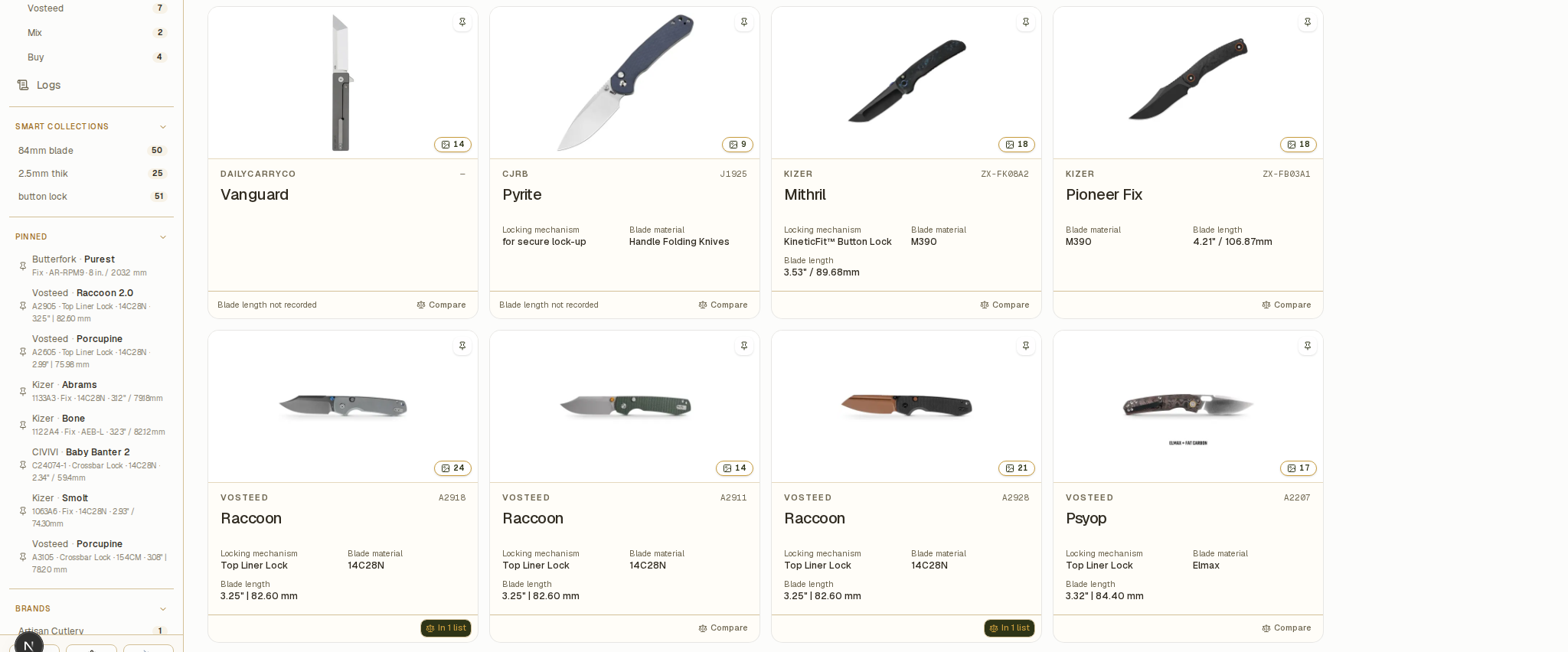
- Catalog — keep specifications, pricing, provenance, notes, links, and local photos for every knife. Import product details from supported retailer URLs, with an interactive browser fallback.
- Organize — search, filter, pin, and bulk-edit records; add custom text, number, and date fields, and choose what appears on collection cards and in the pinned sidebar.
- Browse — save filters as Smart Collections that update with your records, or browse variants together in Model families. Global search understands model names and
/model A4301for model numbers. - Compare — create named shortlists, add a knife to several lists, show only the differences, and print or export comparisons as PDF.
- Maintain — log cleaning, lubrication, sharpening, stropping, and disassembly with dated notes, and review the history in Logs.
- Understand — explore makers, materials, dimensions, completeness, and activity through collection insights.
- Keep control — the vault lives in a local SQLite database, ZIP backups are portable, and cloud backup is optional.
Feature guides
| Task | Guide |
|---|---|
| Import a product page | Add a knife from a product URL |
| Import several product pages | Add several knives at once |
| Enter a knife without a product page | Add a knife manually |
| Correct a saved record or mark it as sold | Update a saved knife |
| Find records and narrow the collection | Search, filter, and sort your collection |
| Save a filter for later | Create and manage Smart Collections |
| Update or pin a selection of records | Edit and pin several knives at once |
| Store additional information | Add and manage custom fields |
| Group and inspect model variants | Browse model families and variants |
| Change card details, theme, or time format | Customize cards and collection appearance |
| Build and export a shortlist | Compare knives |
| Record cleaning, sharpening, and other care | Log maintenance and sharpening |
| Understand collection patterns | Collection insights |
| Review missing data, measurements, and labels | Improve collection data quality |
| See what changed and when | Review collection activity in Logs |
| Preserve a copy of a source page | Capture source pages |
| Save or restore a full-vault archive | Back up and restore your vault |
Choose a setup
| Option | Best for | Start here |
|---|---|---|
| Desktop app | A native macOS or Windows experience | Desktop app |
| Docker or Podman | A self-hosted local instance | Docker and Podman |
| Kubernetes | k3s or another Kubernetes cluster | Kubernetes with Helm |
| Source | Development and customization | Run from source |
Requirements
- Node.js 24 LTS only if you run from source; the repository pins
24.21.0in.nvmrc. - A container runtime (Docker or Podman), or a Kubernetes cluster with a
LoadBalancerimplementation such as MetalLB for the Helm path. - Chromium if you want URL import and webpage capture from a source checkout (
npx playwright install chromium).
Links
- Download the latest release · full release history · demo video
- Source code · contributing guide · code of conduct
- BladeVault is released under the MIT License.